Update and View Billing Information
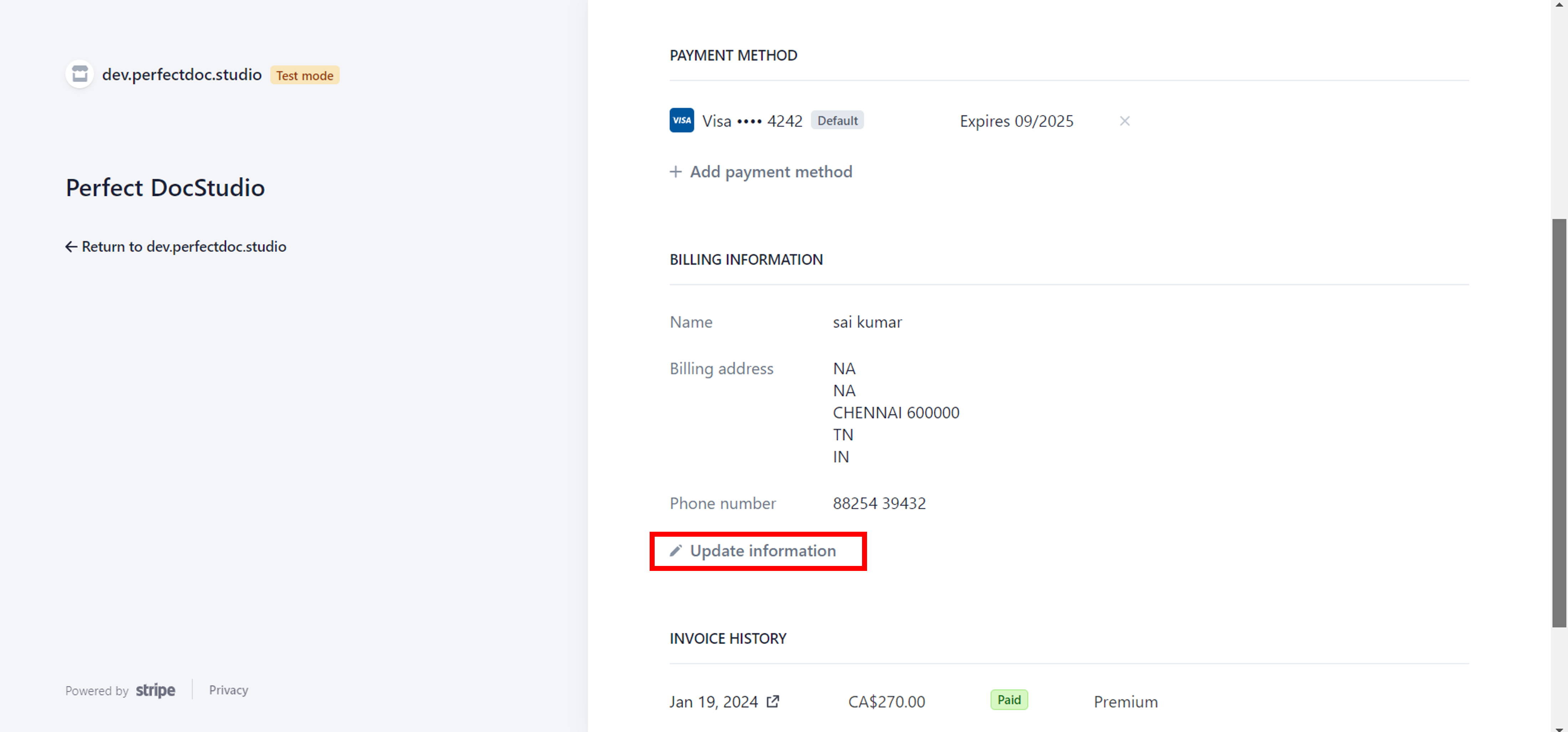
You can view your billing details on the Billing and Invoice page.
To modify this information, follow these steps:
1. Access the Billing and Invoice page to view your billing details.
2. Scroll down to the bottom of the page and choose the "Update Information" option.
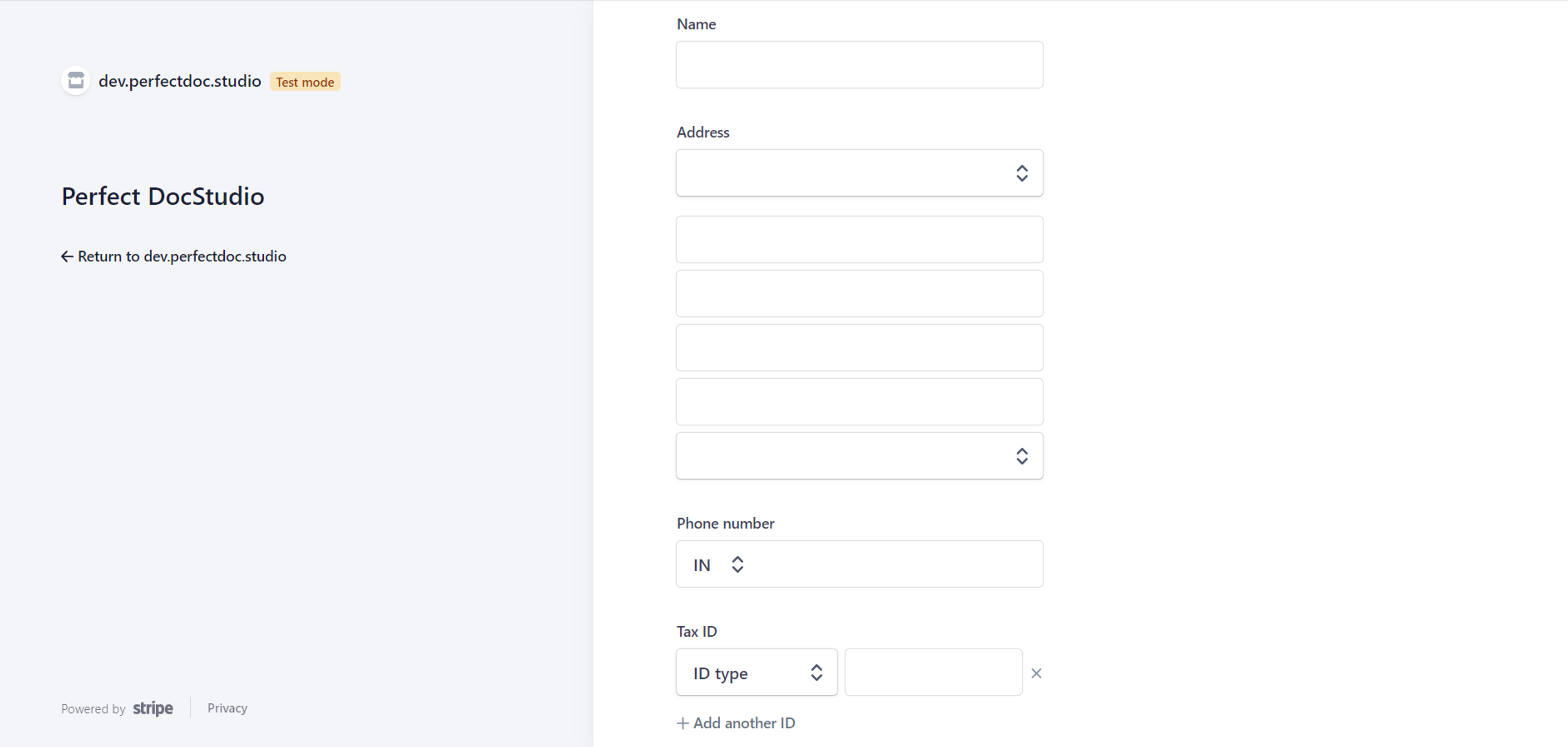
3. You will be redirected to a page where you can modify various details, including Name, Address, Phone Number, and Tax ID.
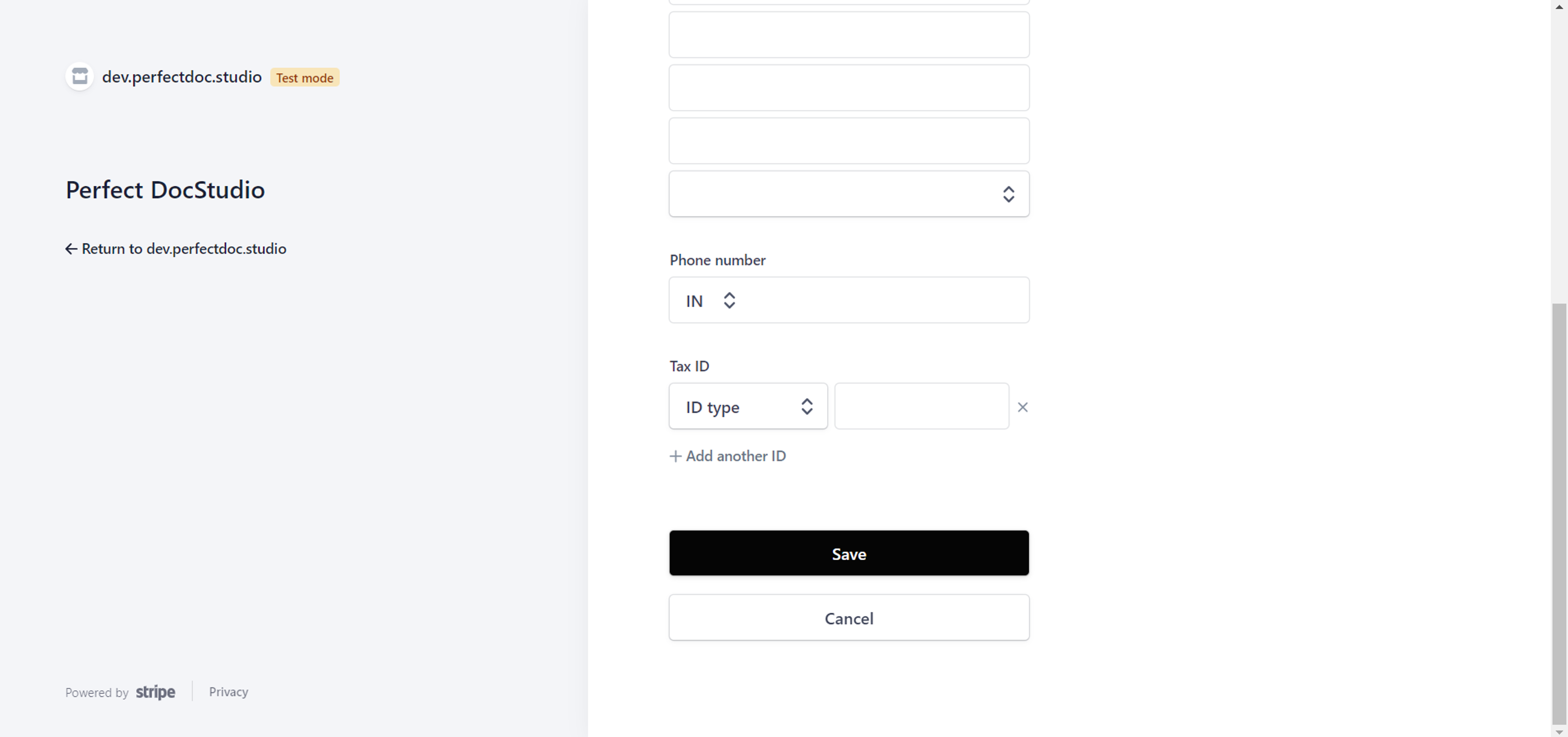
4. After making the necessary changes, click on "Save" to update your billing information.
VIDEO DEMO:
Related Articles
Updating and Cancelling Subscription Plans
To Update Your Plan: 1. Navigate to the home screen and select "Account Details" from the left-side menu. 2. Re-enter your password when prompted for security verification. This step is necessary to access the Billing page, which contains sensitive ...View all Document Templates
To view/access all the document templates created for your team in the system, follow these steps: 1. Go to the menu option on the left-hand side of the screen. 2. Click on "Design System" and then select "Documents". 3. You will now be able to see a ...View all existing designs from the Design Area
To view all your templates, follow these steps: 1. Navigate to the left panel in the document template design area. 2. Click on "Templates" to access a list of all document templates created for your team. 3. The document templates are organized into ...View & Copy from existing designs in Document Templates
VIEW ALL YOUR TEMPLATES Go to the left panel in the document template design area. Click on "Templates" to see a list of all document templates created for your team under the "My Design" tab. The document templates are grouped into categories for ...Payment Methods
You have the option to choose your preferred payment methods in the Billing and Invoice section. 1. Go to the Billing and Invoices section of your account. 2. In the 'Payment Info' section, click on 'Add Payment Method'. 3. You'll be directed to a ...