What are Link Variables and How to use them?
Perfect Doc Studio allows you to dynamically insert hyperlinks into your documents using Link Variables. This feature is especially useful when you want to personalize or conditionally include links without hardcoding URLs.
- Assign Links to Variables: You can insert a variable in your document and associate a hyperlink with it.
- Custom Display Text: Instead of displaying the raw URL (e.g., https://google.com), you can specify how the link should appear, such as Google.
How to Configure Link Variables in Perfect Doc Studio
Insert a Variable
Click the
$ icon in the editor and select the required variable from the dropdown list to insert it into your document.Convert to Link Variable
With the variable selected, click the ‘Link’ icon from the top text styling toolbar. This action converts your variable into a link variable.
Set URL and Display Text
Navigate to the Preview and Download section. You’ll see the link variable displayed as two separate input fields:
Display Text: Enter the text you want to appear in the document (e.g.,
Google)
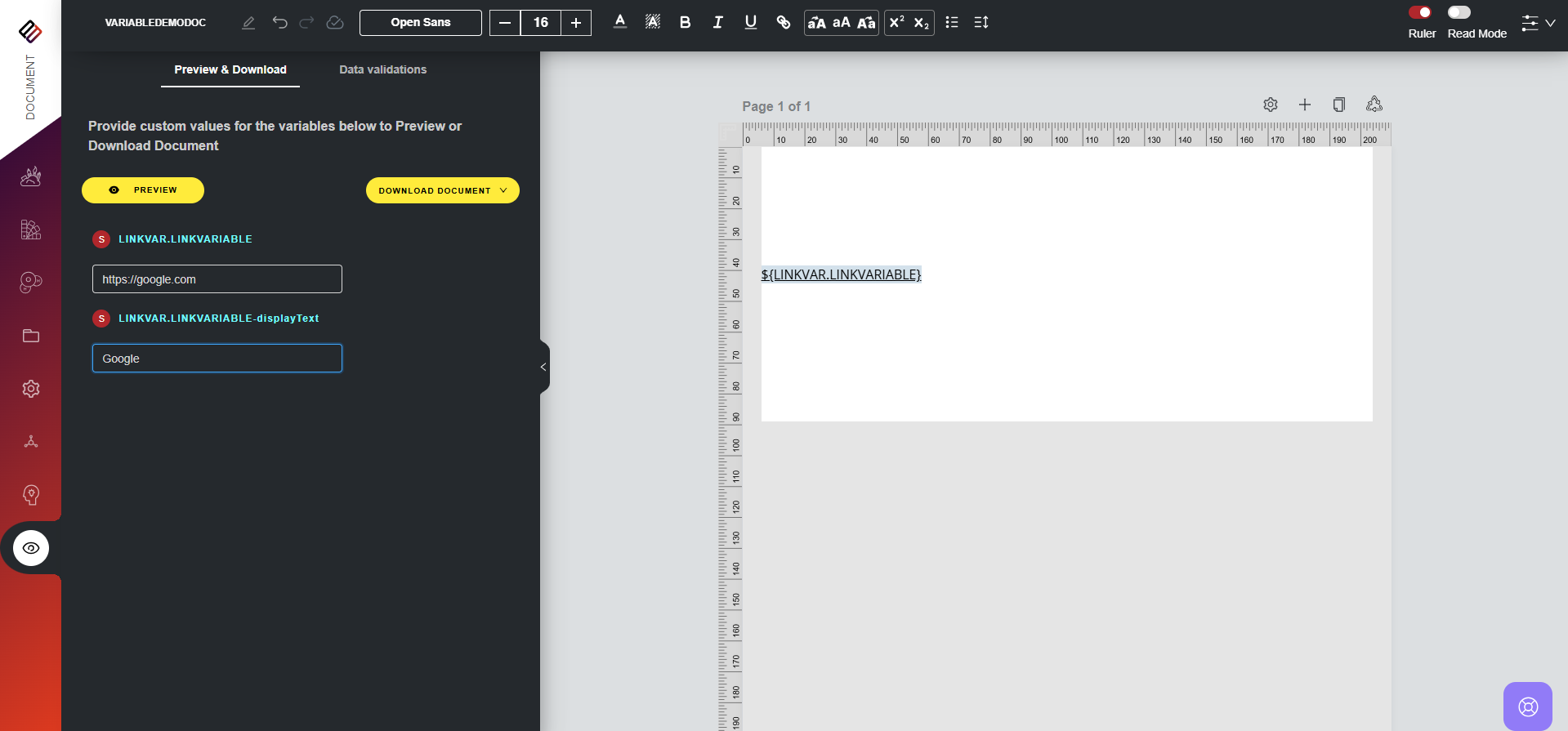
Click on the Preview section to see how the variable will appear in the final document with the assigned hyperlink and display text.
Remove the Link (if needed)
To remove the link assignment, simply right-click on the link variable in the editor and select Remove Link.
VIDEO DEMO:
Related Articles
What are List Variables and How to use them?
In Perfect Doc Studio, a list variable refers to a variable that holds multiple values. They are used to store multiple related values under a single variable name, ensuring consistency and simplifying data integration across documents. For example, ...Understanding Failure Reasons
Below the Email Statistics section, there is a dedicated segment presenting Failure Statistics. This section highlights the percentage of emails that were not successfully delivered, contrasted with the total number of emails sent from the system. In ...Understanding Failure Reasons
In addition to the Failure Stats section that provides details on failed documents, there's a segment called "Failure Reasons." This section offers a concise overview of the number of documents that failed due to specific reasons. Let's delve into ...Searching Email Templates
To search for the list of email templates in the system, follow the steps below: 1. Go to the Design System section from the main menu. 2. Click on Emails. 3. On the emails page, you can see the list of all the templates created in the system which ...Intro to Data Variables & How to use them?
In Perfect Doc Studio, variables are managed at a global level, as demonstrated in the accompanying video. The system features entities that house variables, defining all relevant data variables for your business. This ensures the consistency of ...